Skip to content
AREAS WE SPECIALISE IN
E4-119-1

AGED CARE

Our expert aged care team ensure aged care facilities run smoothly with short-to-long term skill options.

E4-131

HOSPITALS & REMOTE CARE

Looking for a new career challenge, exciting opportunities, and some fun adventures? We can make it all happen.

LET US FIND THE RIGHT ROLE FOR YOUR NEXT CHAPTER

Submit your CV with a few details of what you’re after, and one of our specialist consultants will get in touch.  

why e4-2-1
JOB OPPORTUNITIES
E4-15-1

DISCOVER TAILORED JOB OPPORTUNITIES WITH E4 PEOPLE

We connect job seekers with roles that match their skills, values, and career goals. Start your journey today.

E4-120

AGENCY STAFFING

E4-150

TRAVEL NURSING & CONTRACTS

menu image for perm roles-2

PERMANENT ROLES

HIRING SOLUTIONS
_DSC6995

WHY WORK WITH US?

Discover the key reasons and benefits of partnering with E4 People for reliable, high-quality staffing solutions.

E4-144-1

CLIENT EXPERIENCES

Discover how E4 People creates exceptional client partnerships tailored to their unique staffing and skill needs.

E4-121-1

STAFFING SOLUTIONS

Explore E4 People’s tailored staffing solutions designed to meet your workforce demands.

E4-147

REQUEST STAFF

Quickly request qualified healthcare staff through E4 People’s simple, streamlined booking service.

RESOURCES
E4-166-1-1-1-1

ADVICE & INSIGHTS

Practical guidance and expert insights to support healthcare staffing success.

E4-160-1-1

NAVIGATING AGED CARE

Supportive information to help individuals navigate aged care confidently.

coloured-earth-on-arm-2024-12-06-09-30-06-utc-1

FIRST NATIONS CARE

Culturally respectful guidance for delivering First Nations care.

E4-161-1

CAREER SUCCESS STORIES

Real-life inspiration from aged care professionals who've advanced careers.

OUR E4 PEOPLE
E4-7-1-1
WHO WE ARE

Learn what drives our vision and values every day.

 
MEET THE TEAM

Get to know the people behind our care and service.

 
JOIN THE TEAM

Discover internal opportunities to build your career with us.

 
STAY IN THE LOOP
NEWS & STORIES

Explore the latest updates, intel and achievements.

PODCAST

Tune in for aged care stories, insights, and expert perspectives.

image (2)-1-1
CONNECT WITH US
E4-20-1-1

GENERAL ENQUIRIES

Connect with us to ask questions, request support, or learn more about our services.

E4-49-1-1

BOOK A CONSULTATION

Book a consultation to discuss your needs and explore how we can help.

E4-15-1-1

SUBMIT YOUR CV

Take the next step toward your ideal healthcare role with E4 People.

E4-107-1

SHARE YOUR FEEDBACK

Share your feedback to help improve E4 People’s services and support.

DSC03100

Headshot Photo

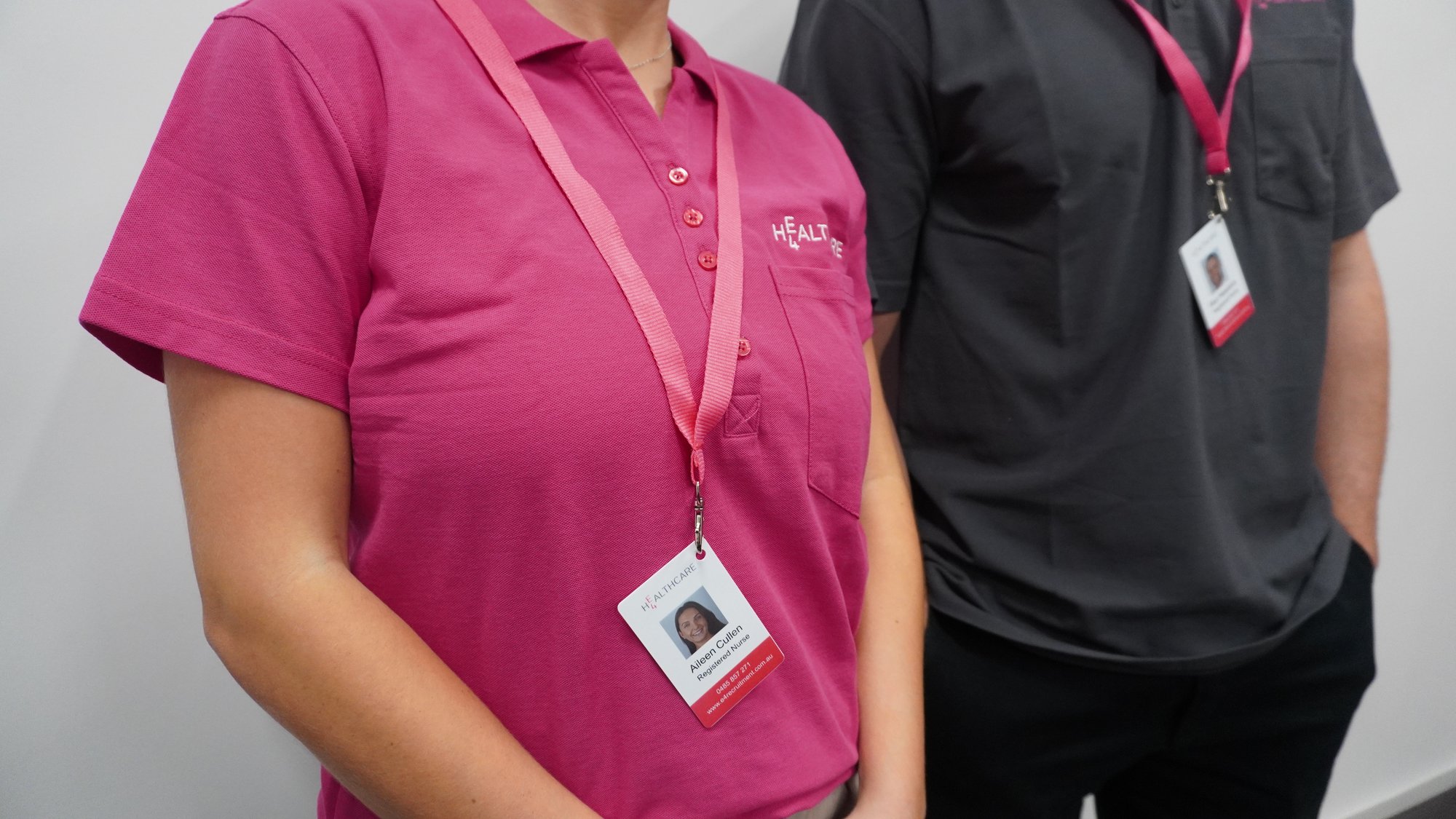
We need a good-quality headshot photo of you that will be used on your E4 ID badge. 

What makes a  good headshot photo?


Your headshot photo will be used on your ID badge. This does not need to be professionally taken but if you are taking this photo at home, please keep the following in mind:

  •  

Once you are fully compliant and ready to work, your ID badge will be created and mailed to you along with your uniform!

DSC03095
1. What file type should my headshot photo be? You can include JPEG (JPG) or PNG file types. 
2. How big can my headshot file size be? Headshot file sizes are usually from 240 KB to 10 MB. 
3. What if the file size is too big? How do I reduce the size?
You can reduce it using several methods:
 
1. Online Image Compression Tools
Use free online tools like TinyPNG, JPEG Optimizer, or Image Compressor to reduce the file size.
 
Upload your photo to the website, and it will compress the image while preserving quality.
 
2. Photo Editing Software
Use software like Adobe Photoshop, GIMP, or Microsoft Paint to resize or compress the image.
In Photoshop, you can use the Export As or Save for Web options.
In GIMP (free editing software), you can specify the quality level when exporting the file.
In Paint (on Windows), save the image as a JPEG at lower resolution.
 
3. Resizing the Image
Reduce the dimensions of your photo (e.g., 600 x 600 pixels) using image editing software or an online editor. Smaller dimensions typically result in smaller file sizes.
 
4. Mobile Apps
If you're using a smartphone, apps like Photo Compress & Resize (Android) or Compress Photos & Pictures (iOS) can help you shrink file sizes easily.
 
5. Adjust Quality
Lower the image quality level when saving/exporting the file in your photo editor. For example, reducing the quality to 80% can significantly reduce file size without noticeable loss in quality.
 
6. Change Format
Convert the image to a more space-efficient format (e.g., from PNG to JPEG), as PNG files are often larger.